
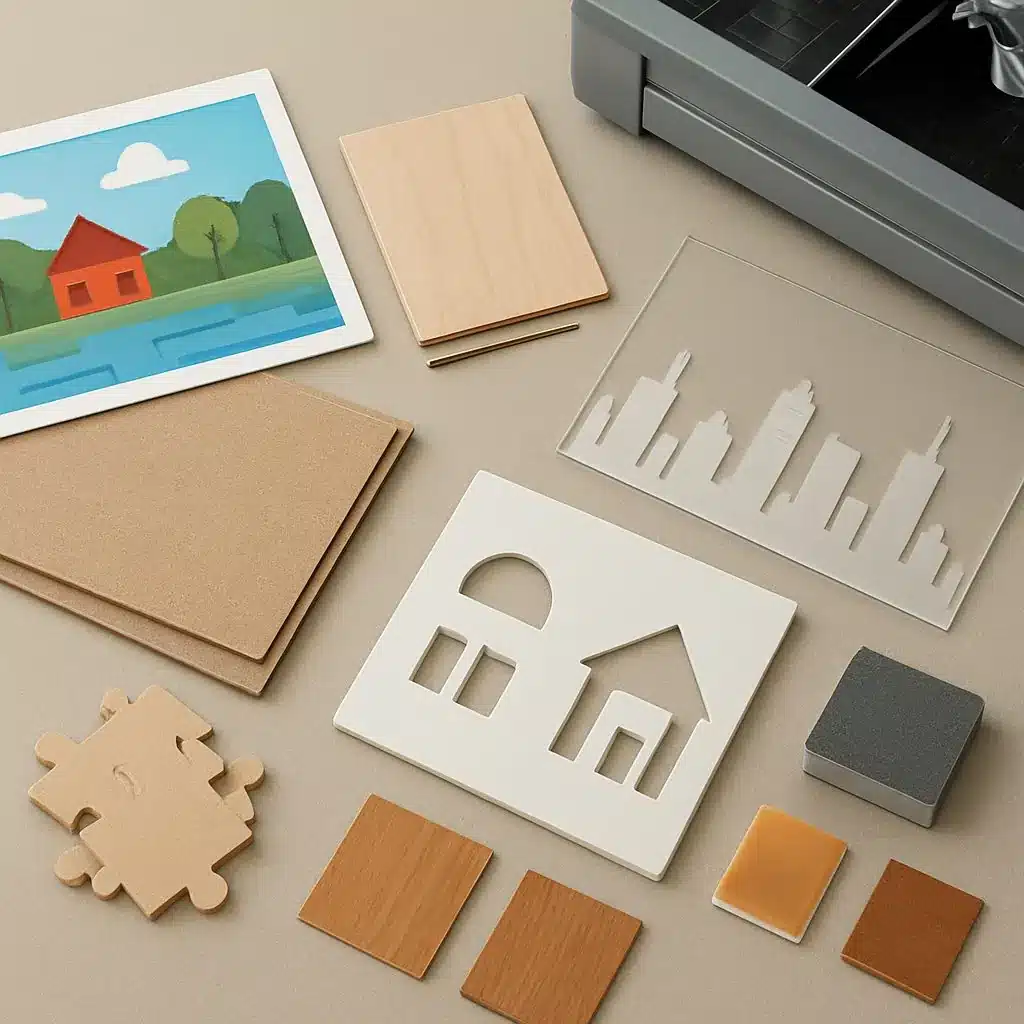
Choosing the right combination of material, printing method, and cutting process is the most important decision when designing architectural puzzles and small-batch landmark models. This guide compares common substrates (cardboard, chipboard, wood, acrylic, foamcore), explains printing technologies you’ll encounter, outlines cutting and finishing options, and summarizes realistic supplier pathways and cost ranges for makers and small publishers.
Quick decision framework
Before diving into materials, answer four questions that will guide every choice:
- Scale and detail: Do you need fine cut lines for facades or large chunky pieces for family puzzles?
- Run size: Prototype, short-run (10–200), or larger production?
- Durability and feel: Museum-quality keepsake, toy-safe, or display model?
- Finish and image fidelity: Full photographic prints, flat color, or natural material grain?
Keep those answers handy as you read the material-by-material breakdown below.
Material overview
Cardboard and chipboard
Pros: Affordable, lightweight, easy to die-cut, recyclable. Ideal for traditional jigsaw puzzles and photo-based covers. Typical thickness ranges from 1.5 mm to 2.5 mm for puzzles; thicker chipboard (3–5 mm) for sturdy boxed components.
Cons: Limited longevity compared with wood or acrylic, can show wear at edges. Best with a printed paper layer or direct digital print with protective laminate.
Printing: Digital or offset onto paper then laminated to board. For DIY low-volume, a good short-run digital print with a matte or gloss laminate is most practical.
Wood (plywood, birch, MDF)
Pros: Premium feel, excellent for laser and CNC detail, good for 3D assembly and layered skyline pieces. Wood grain adds visual warmth for architectural models.
Cons: Higher material and tooling cost, heavier, and may need varnish or sealing. Thin plywood (1.5–3 mm) is common for puzzles; 3–6 mm for robust pieces and models.
Note: For three-dimensional construction and finishing techniques, pair wood choices with specialized adhesives and edge-sealing techniques — see material choices for 3D models.
Acrylic
Pros: Strong, glossy finish, vivid printed color on white-backed acrylic or clear substrates for layered effects. Works well for modern or minimalist skyline pieces.
Cons: More brittle than wood in some thin profiles, requires laser or CNC cutting, and scratches more visibly than wood. Typical thicknesses: 2–6 mm for pieces and veneers.
Foamcore and mounting board
Pros: Lightweight, inexpensive, good for mockups, prototypes, and large-format puzzle-style displays. Easy to cut by hand or with a plotter for low-detail projects.
Cons: Not durable for repeated handling; susceptible to crushing and moisture.
Printing methods: what to choose and when
Digital (inkjet/laser, short-run)
- Best for small batches, photographic images, and quick turnarounds.
- Advantages: No plate costs, flexible color proofs, and short setup times.
- Limitations: Per-unit cost higher than offset at scale; color consistency can vary between presses.
Offset
- Best for larger runs (typically several hundred+ units) where color accuracy per unit and lower cost-per-piece matter.
- Advantages: Excellent color consistency and cost-effective at scale.
- Limitations: Higher upfront plate/setup costs and less practical for many short-run makers.
UV flatbed and direct-to-substrate printing
- Best when printing directly onto wood, acrylic, or rigid board — useful for bespoke materials without a paper overlay.
- Advantages: Durable inks, high adhesion, and the ability to print on non-porous surfaces.
- Limitations: Equipment is expensive; typically accessed through specialist vendors.
Cutting processes and finish work
Choose cutting based on material and detail level:
- Die-cutting: Fast and cost-effective for cardboard and chipboard at medium-to-large runs. Precise edges but tooling is an upfront cost.
- Laser cutting: Superb for fine detail in wood, acrylic, and chipboard; ideal for short runs and prototypes. Watch for burn marks on wood — factor in light sanding and sealing.
- CNC routing: Best for thicker wood and layered 3D parts; produces clean edges but has longer setup time for complex paths.
- Kiss-cut/plotters: For vinyl decals, flexible sheet materials, or foamcore mockups.
Finishing steps to plan: edge sealing (varnish or lacquer for wood), soft-touch or UV coating for printed faces, and foam or felt backing for display pieces. Packaging choices (tuck box, magnetic box, wooden crate) also materially affect cost and perceived value.
Suppliers and production pathways
Where you produce depends on run size and equipment access:
- Home and maker-shop routes: Laser cutters, desktop inkjet or UV printers, and small CNC routers are ideal for prototypes and very small runs. Local maker spaces often provide access and mentorship.
- Local print shops: Good for cardboard puzzles and offset runs. They can handle printing, lamination, and die-cutting for medium runs.
- Online custom manufacturers and services: For short to medium runs of wood, acrylic, and printed goods, contract manufacturers and laser-cutting services can produce finished parts and assemble kits. If you need fully outsourced production, consult lists of professional manufacturers and custom shops.
Cost estimates (typical small-batch ranges)
Costs vary widely by material, complexity, and quantity. The ranges below are approximate and exclude design and packaging labor.
- Cardboard photo puzzle (digital print, 100 pcs): roughly $2–$8 per unit depending on lamination and box quality.
- Die-cut chipboard (offset, 500+ pcs): $1–$4 per unit — efficient at scale but requires die tooling.
- Laser-cut wooden puzzle (50–200 pcs): $8–$30 per unit depending on wood species, finishing, and assembly.
- Acrylic layered skyline (short run, 50–150 pcs): $10–$40 per unit depending on thickness, print type, and packaging.
- Prototype single unit (laser cut, custom print): $20–$150 — prototyping is a higher per-unit cost but narrows production issues before committing to a run.
These numbers are illustrative. Final pricing depends on artwork prep, color separations, number of colors, dielines, cutting time, and any additional QA or assembly.
Checklist for choosing a path
- Define final use (toy vs. keepsake vs. display).
- Pick the highest-priority attribute (cost, finish, or detail).
- Prototype with the closest available material and method (laser-cut sample is often cheapest and fastest).
- Get 2–3 quotes that separate material, printing, cutting, and packaging costs.
- Factor in post-processing time for sanding, sealing, or coating.
For DIY skyline puzzles, this guide pairs naturally with practical advice on substrates and image prep — see materials for making a custom skyline puzzle. When you’re ready to scale beyond small-shop capacity, explore options for outsourcing and contract manufacturers in our supplier round-up at professional manufacturers and custom shops.
With a clear brief and a tested prototype you’ll save time and money: the right combination of substrate, printing, and cutting will ensure your architectural puzzle or model reads well, assembles cleanly, and delivers the tactile satisfaction your audience expects.